Many offices already have some sort of employee snack and beverage program to keep workers fueled throughout their shifts. But with programs that rely too much on processed sweets and refined carbs, energy crashes and afternoon slumps are all too familiar. That’s how you end up with sluggish and unproductive staff.
Your employees deserve more options besides vending machine candy bars and sodas. Micromarkets let you set up a workplace pantry program that goes beyond the standard processed snack selections that you’ll find in many offices.
So what is a micromarket and how does it work? How can you implement it into your office pantry service? Find out everything you need to know about office micromarket solutions in this article.
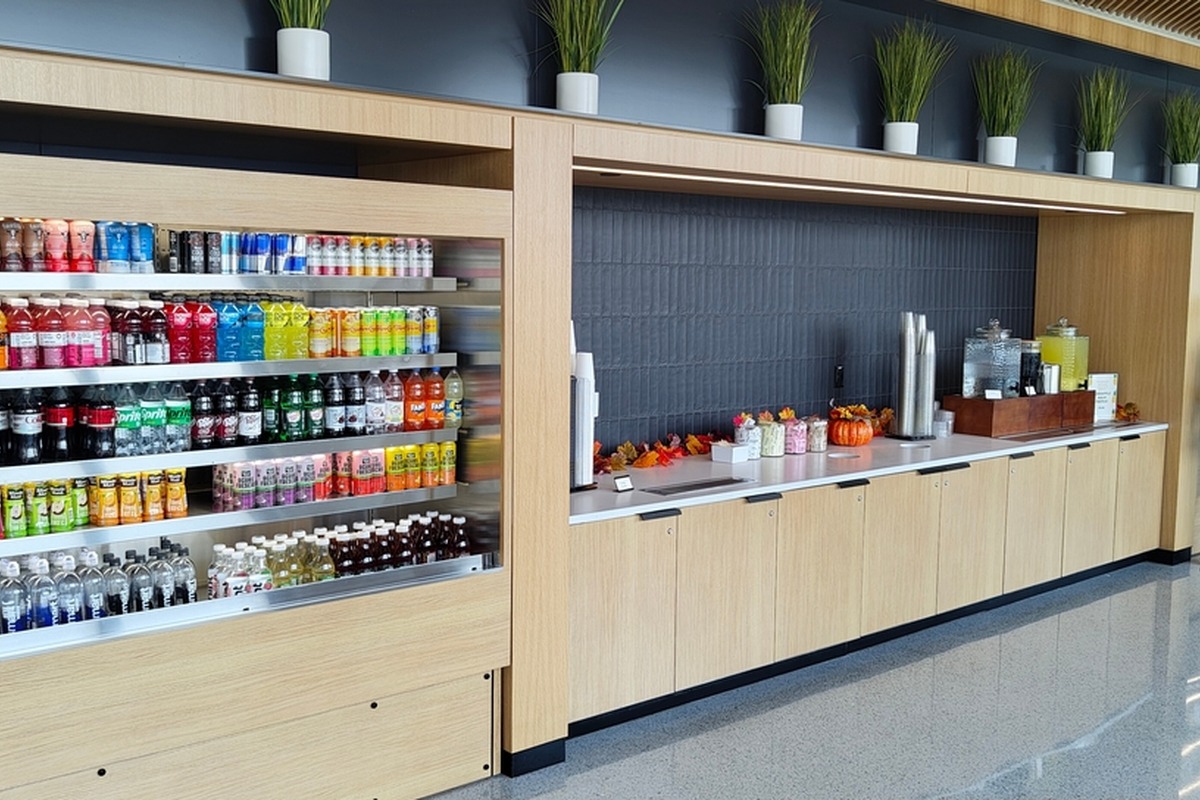
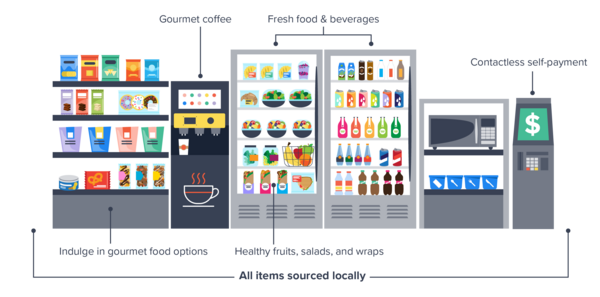
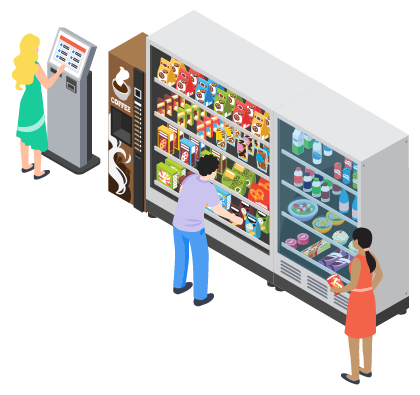
A micromarket is a small, unattended retail space that functions like a self-service convenience store. People get to browse items stored in open shelves and coolers and then pay for their purchases at a self-checkout kiosk or using a mobile app.
Some of the key features of micromarkets include:
So self-checkout micromarkets let you diversify your product mix and appeal to employees with unique dietary needs and tastes. That means you get to keep keto-friendly snacks and gluten-free options alongside indulgent treats and premium beverages without compromising on one or the other.
The fact that office micromarkets basically run on their own and need minimal day-to-day management also makes them one of the best solutions for your employee snack and beverage program.
To get an even better idea of how micromarkets work and how they add to your workplace pantry program, you need to understand what makes them different from traditional snacking solutions like vending machines.
So let’s do a quick micromarket vs. vending machine comparison to help you weigh your options.
With minimal day-to-day management and an opportunity for endless customization, there are many reasons why it makes sense to set up a breakroom micromarket.
An office micromarket gives you the space and equipment needed to carry a variety of meals, snacks, and beverages beyond the standard packaged items. When your product mix is no longer limited to the confines of a vending machine, you can have a virtually endless selection of items to appeal to diverse dietary needs and preferences.
So whether that means trail mixes and energy bars for a quick pick-me-up or ready-to-eat sandwiches and pre-made salad for convenient meals, employees can find something to fit their unique choices.
This flexibility also lets you carry snacks and beverages that align with your larger employee nutrition program. Your breakroom micromarket could offer an assortment of nutritious snacks and balanced meals that are easily accessible.
Some workplaces also incorporate subsidized micromarket setups into their wellness programs, where healthy options are offered at subsidized prices. This incentivizes employees to make healthier choices.
Diverse and healthy options automatically elevate the snacking experience for employees, which will ultimately add to their daily workplace experience. Fooda’s “What’s Happening in the Workplace Now?” survey found that better snacks and drinks were the number one factor that would make the office experience better.
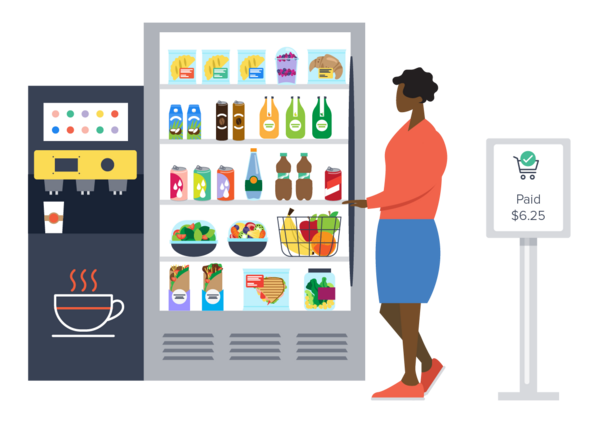
The open layout of an office micromarket makes it easy for employees to browse items and find exactly what they need. They can pick up a product and check for nutritional value and ingredients to make more informed decisions.
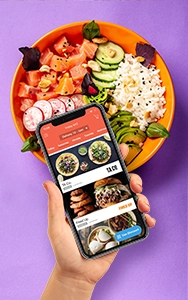
The cashless payment system also makes it more convenient to check out quickly. Employees can use self-checkout kiosks and app-based payments to complete their purchases without needing to have cash on hand.
Some workplace pantry programs require daily oversight. Someone needs to keep the snack station in your breakroom stocked up on items and refill the coffee machine.
With the right provider, a micromarket relieves this daily management headache while simultaneously upgrading your snacking amenities. Your office pantry operator will have dedicated attendants keeping your shelves stocked without you needing to oversee everything.
Before you give micromarkets a serious thought, you’ll want to know who pays for it and how much it costs to set up. In most cases, micromarkets cost almost $0 to set up, with the provider covering the cost of equipment, installation, software integration, and restocking.
The provider will make revenue directly from the self-checkout sales or the employer-funded budget rather than through hardware fees.
As for the ongoing cost structure, it depends entirely on the employer funding model you choose. You have two main options:
With low setup costs and endless flexibility, micromarkets may seem like the perfect solution for your employee snack and beverage program. But what exactly do you need to set it up? Let’s look at the essentials:
With a wide range of customizable solutions and managed programs, Fooda’s office pantry service lets you set up an office micromarket tailored to the unique needs of your workplace.
Fooda has an expansive partner network comprising national and local vendors. This gives you the flexibility to personalize your product mix specifically for your team’s needs and preferences. From grab-and-go meals to gourmet coffee, Fooda keeps your shelves stocked with employee favorites. You can even request specific snacks and beverages that your team actually wants.
With Fooda, you get to track item movement and expenses in real time. This gives you more visibility into your team’s consumption habits, so you can update your inventory accordingly.
It also allows you to stay on top of your real-time inventory needs, helping you restock before you run out of your team’s favorite snacks or beverages. And with local attendants to handle your restocking needs, Fooda’s micromarket services allow you to effortlessly manage your pantry program.
You even get live spend dashboards, which give you insights for timely product adjustments and prevent billing surprises. Combined with Fooda’s data-backed recommendations, this helps you manage your pantry budget more seamlessly.
Micromarkets are part of the Fooda Pantry solution, which lets you blend a variety of products and services to build a robust employee snack and beverage program. You can incorporate it with refrigerated smart vending machines and premium water dispensers to build a breakroom micromarket that elevates the snacking experience for everyone.
You can even run micromarkets as part of a larger workplace food program, where the office pantry service supplements other Fooda solutions like:
For example, you could have rotating guest restaurants serving freshly cooked meals daily with Orange by Fooda, while Popups and Lunch Delivery offer backups for high turnout days. All the while, micromarkets will provide a convenient, 24/7 anchor for third shift employees and daytime staff alike.
And if free snacks are a part of your employee perks, Fooda helps you manage your budget more effortlessly with app-based subsidy management. Fooda Subsidies can be tracked and edited within the app, so you can easily add or remove members, adjust amounts, and keep track of your expenses in one place.
But even if there’s nothing your employees like, you can extend this perk with the Fooda Card. This gives employees the freedom to order meals from their favorite restaurants or use their meal benefits during their travels or late-night shifts. You can customize location rules, allowance amounts, and timings to align the card to your benefit program.
Ready to bring micromarkets into your office? Get in touch with Fooda today.
How much does it cost to put a micromarket in an office?
Most office micromarkets cost $0 to install. The provider supplies the kiosk, coolers, shelving, and initial inventory, then earns revenue from employee purchases. Ongoing cost depends on your funding model: employee-paid markets cost the employer nothing, while subsidized or free programs typically run $3 to $8 per person per day, depending on whether you stock basic or premium items.
What is the difference between a micromarket and a vending machine?
A vending machine is an enclosed unit that dispenses one packaged item at a time. A micromarket is an open, self-service mini store where employees browse shelves and coolers, then pay at a kiosk or through an app. Because product mix isn't limited by coil size, micromarkets can carry hundreds of items, including fresh salads, sandwiches, and full meals.
What kinds of food can an office micromarket stock?
Micromarkets can stock fresh grab-and-go meals, salads, sandwiches, fruit, snacks, cold drinks, and frozen items. Open shelving and refrigerated coolers make room for dietary-specific options (gluten-free, keto-friendly, plant-based) next to indulgent treats, which matters when one breakroom has to serve a team with very different needs and schedules.
How much space do you need for a breakroom micromarket?
Plan for at least 100 to 150 square feet in an open, high-traffic area. The space also needs standard 110V outlets to power refrigerators and checkout hardware, plus stable Wi-Fi or Ethernet so the kiosk can process payments and update inventory in real time. A semi-secure location, accessible mainly to employees, helps keep inventory loss low.
Can employers offer free or subsidized snacks through a micromarket?
Yes. In a subsidized micromarket, the employer covers part or all of the cost of items, often through a set daily allowance per employee. Some companies subsidize only healthy options to nudge employees toward better choices. With Fooda Subsidies, you can add or remove members, adjust allowance amounts, and track spend from one app.
Who restocks and maintains an office micromarket?
The micromarket provider handles restocking, cleaning, and inventory management, so no one on your team has to oversee it. Real-time inventory tracking flags low-stock items before they run out, and local attendants refill shelves on a regular schedule. This is the main reason micromarkets require less internal effort than a self-managed snack station.
How do micromarkets prevent theft?
Micromarkets rely on security cameras, monitoring software, and placement in a trusted, employee-only area to deter theft. Every transaction runs through the self-checkout kiosk, and inventory software tracks item movement so providers can spot shrinkage patterns quickly. Glass-door coolers with health locks also protect fresh food if refrigeration fails.
How do I start a micromarket in my office?
Start by partnering with a full-service office pantry provider. They'll assess your space, install shelving, coolers, and the self-checkout kiosk at little to no equipment cost, load your product database, and run test transactions before launch. From there, you choose an employee-paid or subsidized model and adjust the product mix based on purchase data.